5 May 2026
Layer 02 - Route & Automate: turning context into action
Route and Automate is the second layer of the 6 Layers of Support Maturity. It only works once Context Framing is in place; without clean intake and data, automation amplifies errors instead of reducing work.
So, you have now put Layer 01 - Context Framing, in place, and you are capturing all the relevant information needed to understand your customer and their support request.
But what happens next? How do you use this information effectively to manage your tickets?
This is where an effective triage process can be applied to help route tickets to the right place first time and to enable effective automation.
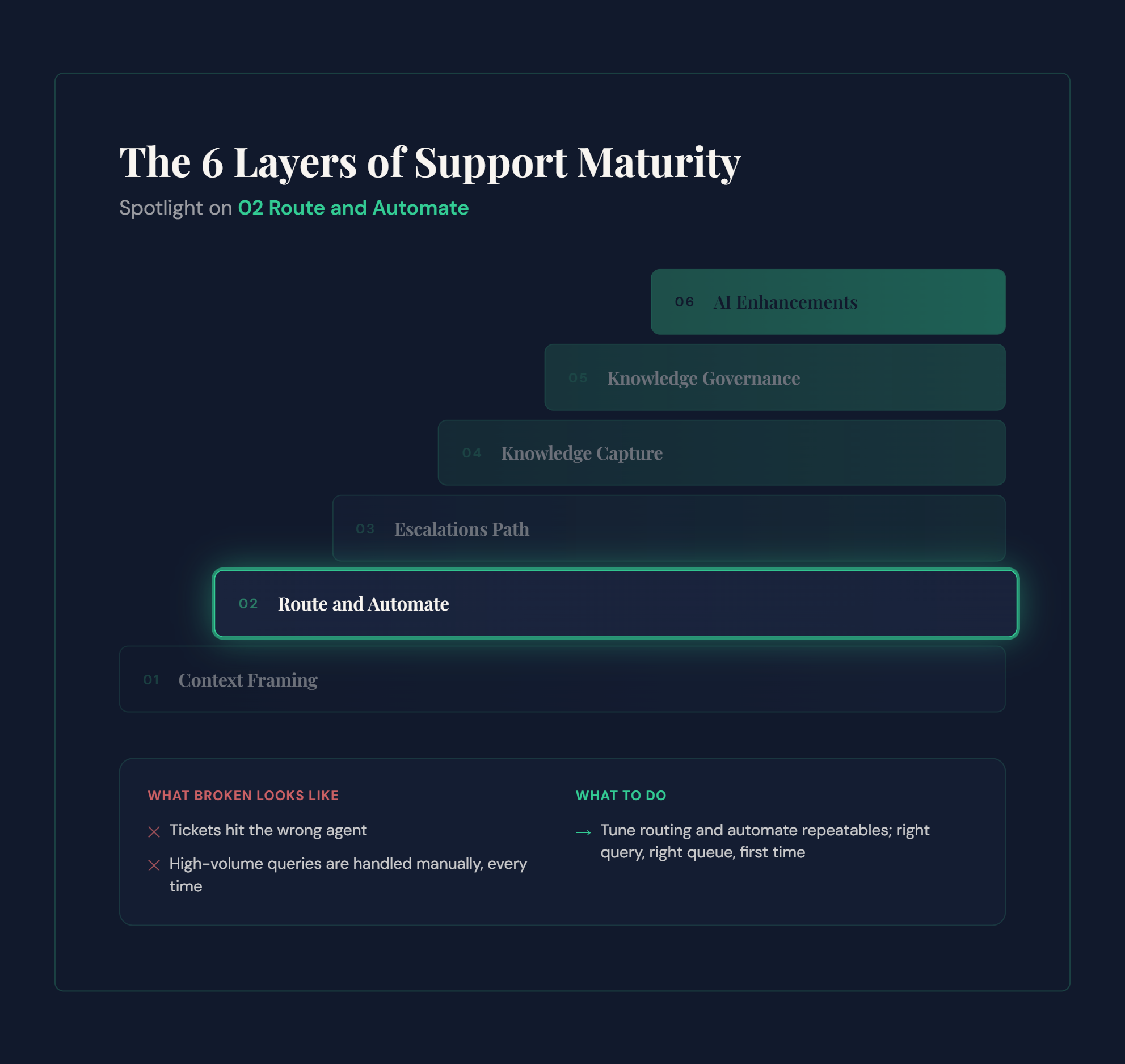
By using contextual information such as reason for contact, customer location, language, entitlement, or CRM data related to a known contact, you can enable smart routing, ticket tagging, prioritisation, and automation.
Some examples of what can be achieved include:
Using customer tier or entitlement to:
Apply the correct SLA and response targets
Set ticket priority automatically
Route high value customers to dedicated queues or specialist teams
Using reason for contact or detected intent to:
Route tickets to the correct department, such as technical support, repairs, or billing
Send a tailored auto reply with first steps or required information
Suggest relevant knowledge articles before an agent engages
Using language or product information to:
Assign tickets to agents or teams with the required language capability
Route product specific issues to specialist teams
Attach relevant troubleshooting steps or request the correct logs
Using duplication or incident signals to:
Detect and merge duplicate tickets from the same customer
Correlate multiple tickets reporting the same issue
Send automated updates to affected customers, reducing inbound volume
Of course, there are many more possibilities here, and these should be tailored to your customers, products, and support teams. The important step is turning information provided by the customer into internally relevant data that helps steer the ticket through your support processes.
More importantly, when the ticket reaches an agent, it now has a much higher chance of reaching the right agent first time. This increases the likelihood that the ticket can be resolved as a one touch interaction with first time resolution. In some cases, an automated reply with useful information may even resolve the issue before an agent needs to get involved at all.
Much of this can be achieved using predefined rules within your ticketing system. With the addition of AI driven triage, even tickets that arrive without full context can be automatically classified or enriched with tags and routing signals, reducing manual triage effort even further.
If this layer is not implemented effectively, the result is poorly distributed tickets that are repeatedly reassigned or handled as multi touch interactions as agents try to find the right owner. As volume increases, this leads to longer response times, missed SLAs, and falling CSAT.
If that sounds familiar, our Support Maturity Checker can help you validate whether Layer 02 - Route & Automate, is the current constraint in your support operation.
In the next article, we will build on this foundation with Layer 03 - Escalations. If you would like to talk through your results or discuss how Layer 02 applies to your environment, feel free to start a conversation with me.
The 6 layers of Support Maturity:
Layer 03 - Escalations Path (coming up in the next post)
Learn about the 6 layers of support maturity
Take the Support Maturity Assessment
Learn more about OPCX Solutions services
Book a discovery call